Learn kanji from the world around you.
Snap a sign, a menu, or the back of a snack wrapper. Tap any word for its reading and meaning - then keep it. Scanji turns the Japanese you meet every day into a study set built from things you actually saw.
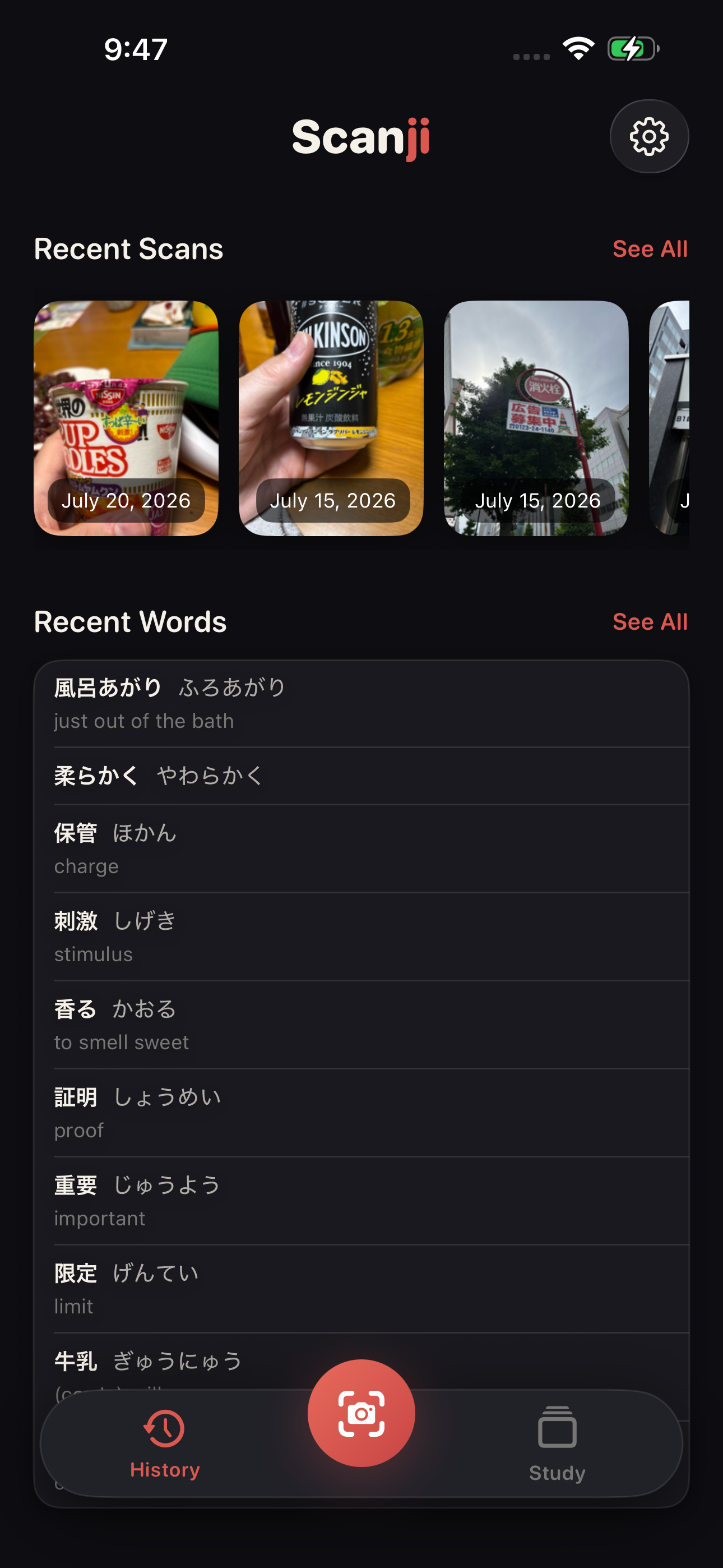
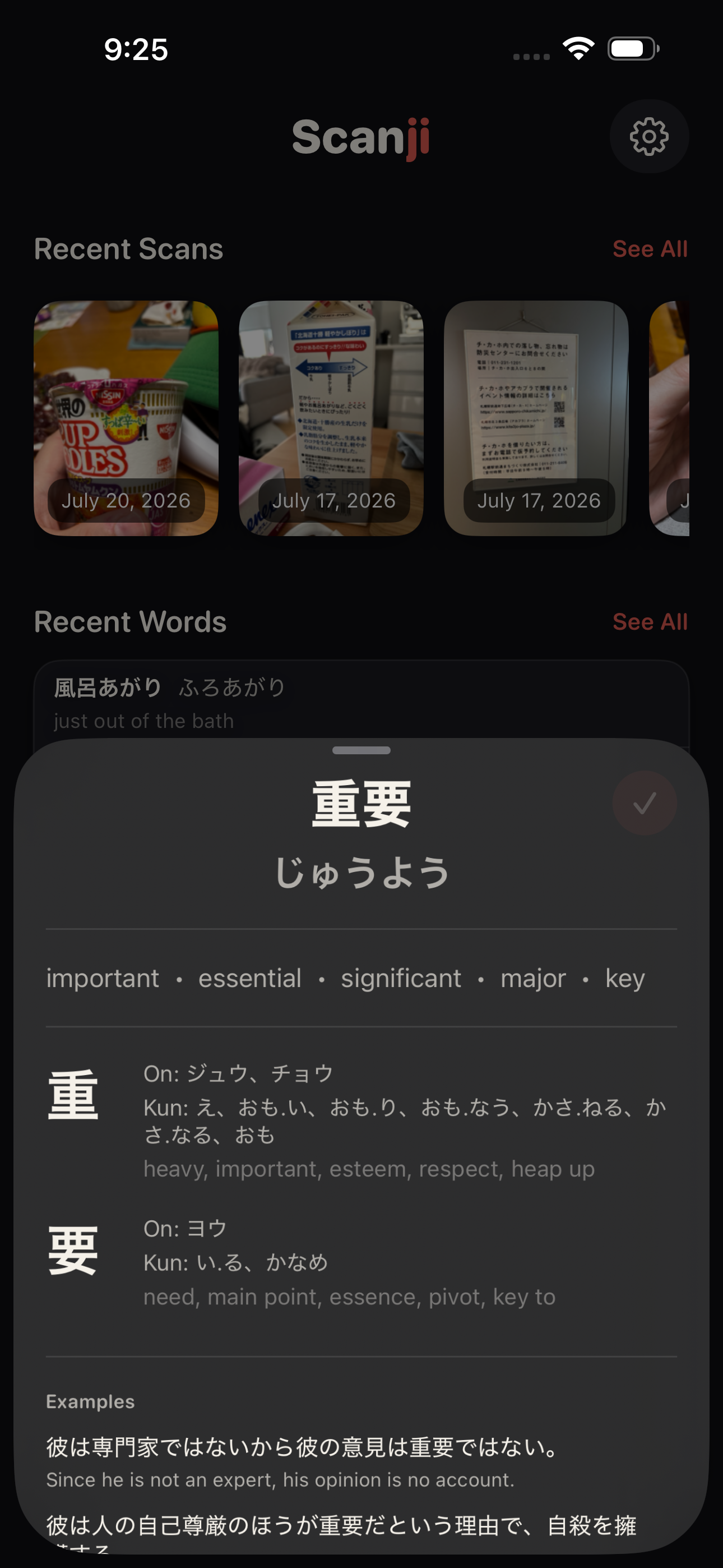
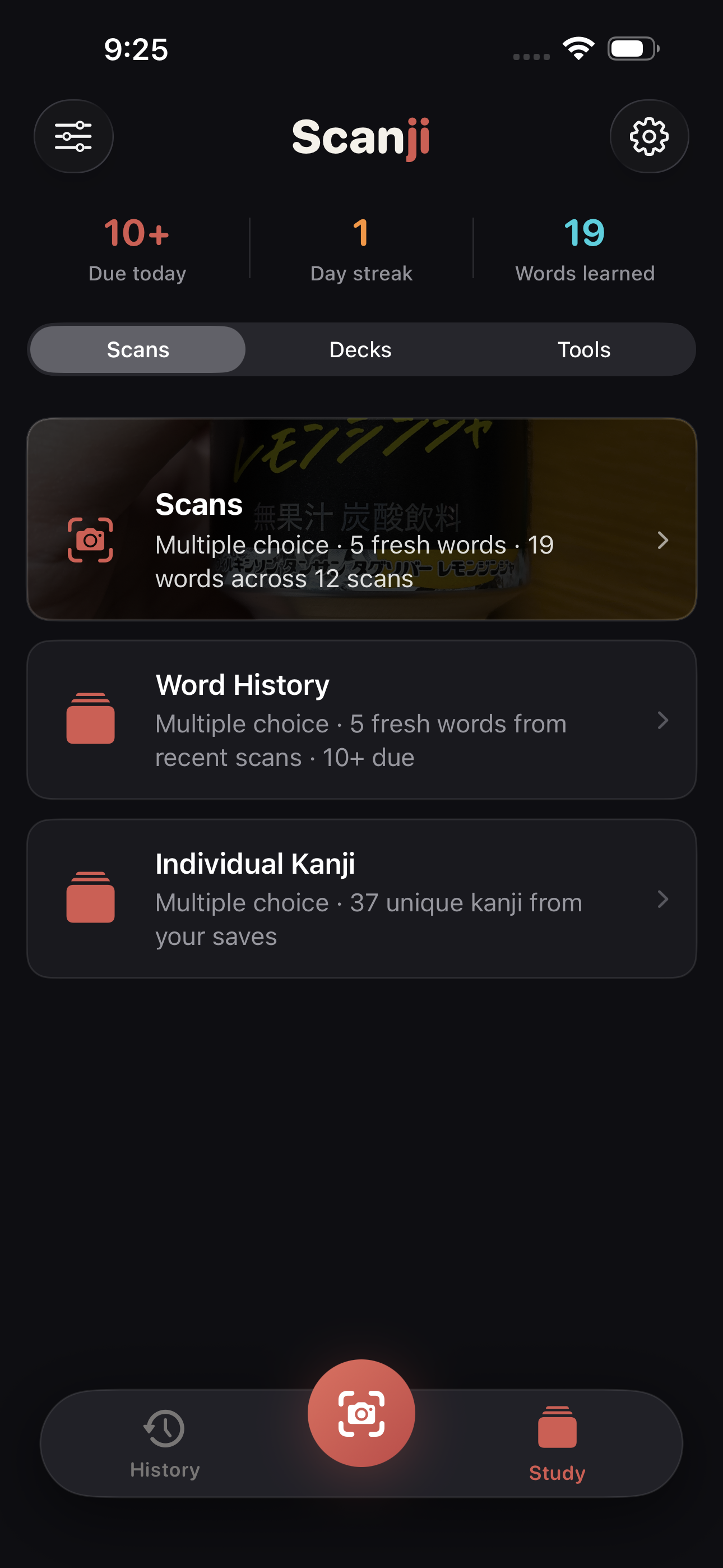
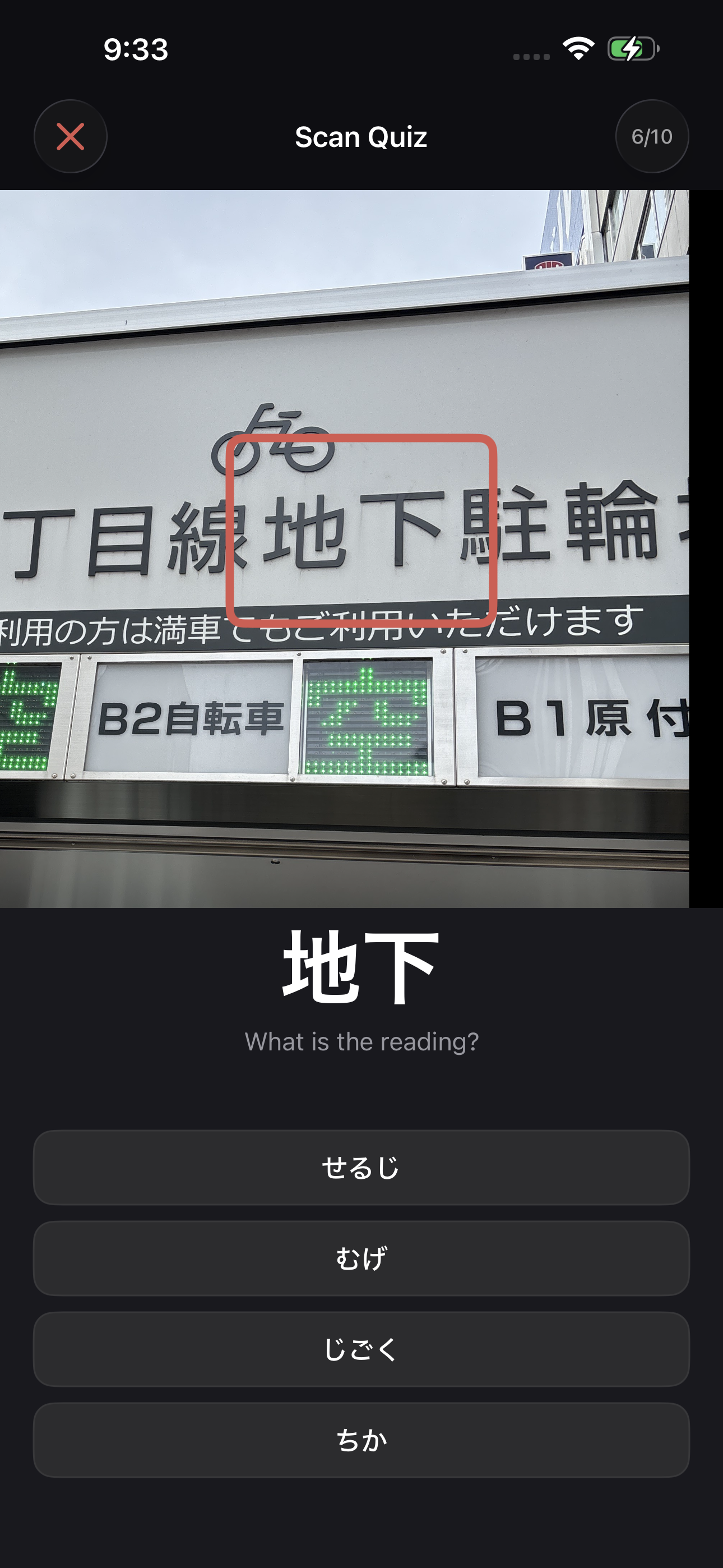
Four steps. One small habit.
Your pace, your words, your life.
Take a photo
Anything with Japanese on it - a sign, a menu, a juice box label. Vertical columns are fine.
Tap any word
Scanji reads the text so you can tap straight through to the furigana and the meaning.
Save the keepers
One tap adds the word to your library, with the photo attached for context.
Review when ready Pro
Spaced repetition brings each word back just before you'd forget it.
Watch the whole loop, start to finish.
Photo to furigana to flashcard, in about the time it takes to order lunch.
Everything you need, nothing you don't.
Just the parts you'll actually use, every day.
Tap a word, get the reading
Furigana plus a full dictionary definition for anything you touch - no need to type a kanji you can't read yet.
Vertical text, handled
Manga, novels, and signage run top-to-bottom. Scanji reads those columns in the same pass as horizontal text - most tools simply don't.
The dictionary lives on your phone
A Japanese-English dictionary built from the open JMdict and KANJIDIC2 projects ships inside the app. Underground, on a plane, in the mountains - it still works.
Quiet capture
Take the photo without the shutter sound - considerate in libraries, trains, and quiet cafés.
Optical zoom
Switch lenses to get in close on small print - ingredient lists, footnotes, tiny signage.
Study your own photos Pro
Every flashcard remembers exactly where you found the word, and shows it over the original shot.
Spaced repetition Pro
Quick multiple-choice quizzes, or Anki-style review where you reveal and rate yourself.
JLPT & vocab decks Pro
Kanji decks for N5 through N1, plus frequency-ranked verbs, adjectives, nouns, and adverbs.
Export anywhere Pro
Send your saved words out as a spreadsheet, or as a file Anki can import directly.
Scan history, word history, and favorites are free and unlimited.
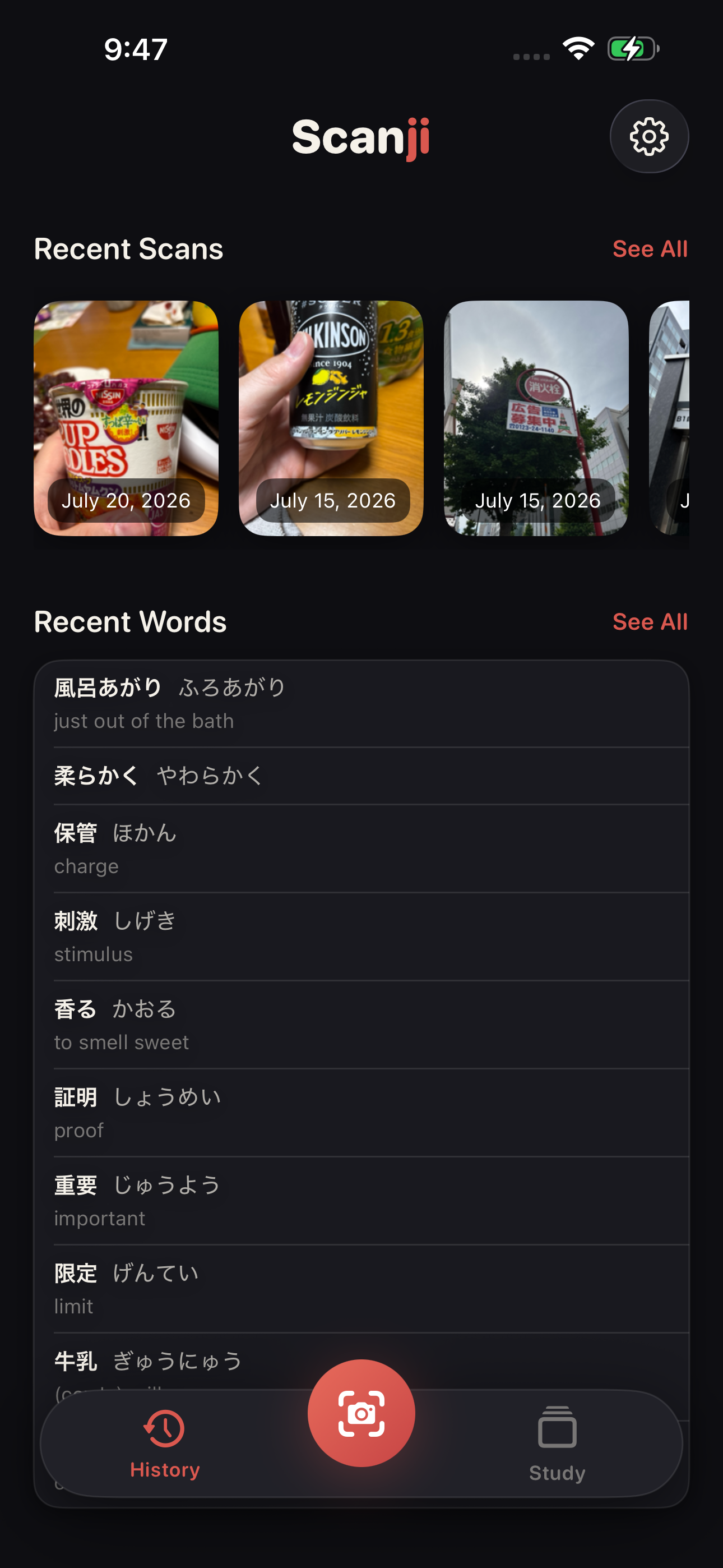
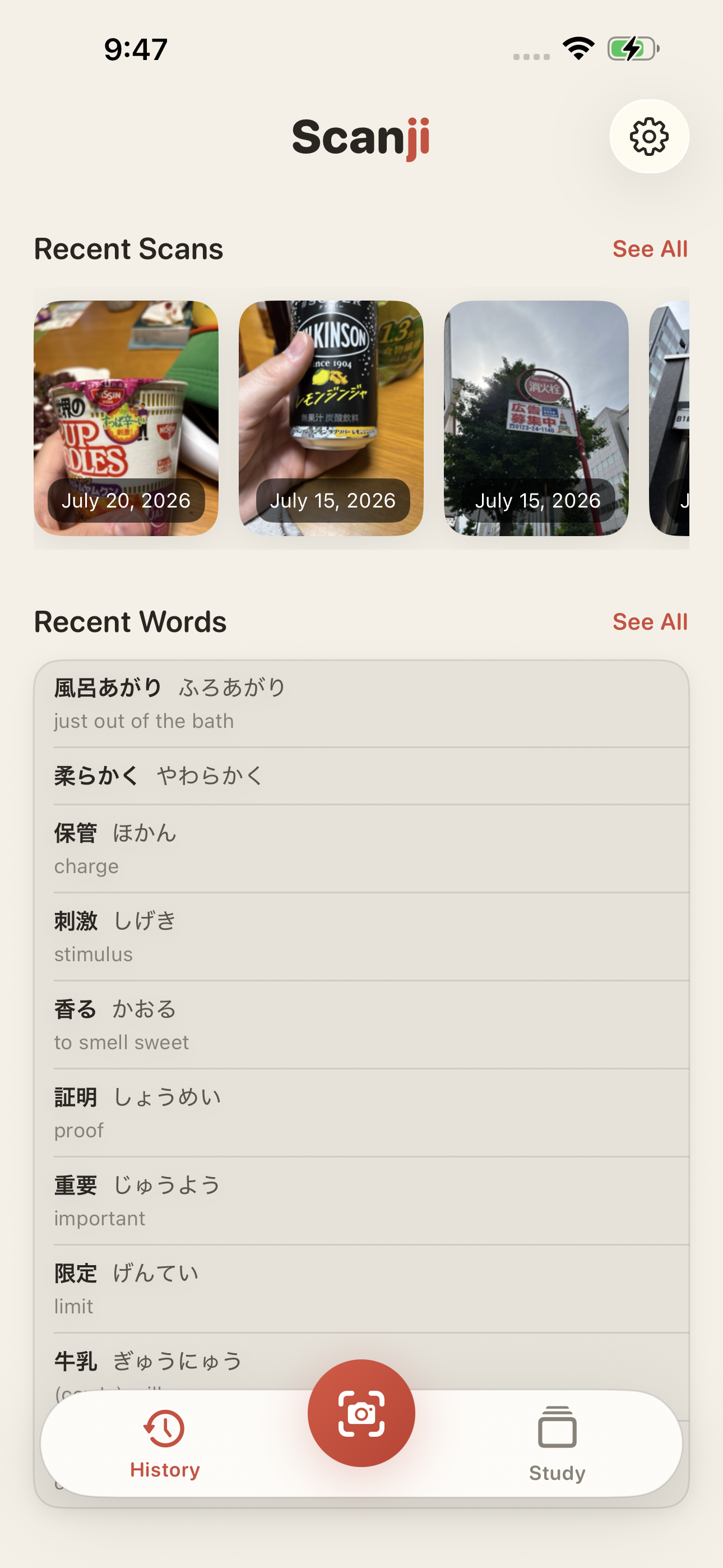
Two themes, both hand-crafted.
Sumi ink or washi paper - with one stroke of vermillion running through both.
A study loop that closes.
Most apps help you translate - not remember. Scanji Pro takes the words you actually met today and schedules them back to you until they're yours.
Two ways to drill
Quiz mode for fast multiple-choice runs, or Review mode - see the word, reveal it, rate yourself Hard, Medium, or Easy.
Quiz your own scans
Practice the words from a specific photo, shown over the image you took them from. Context does half the remembering.
Progress you can see
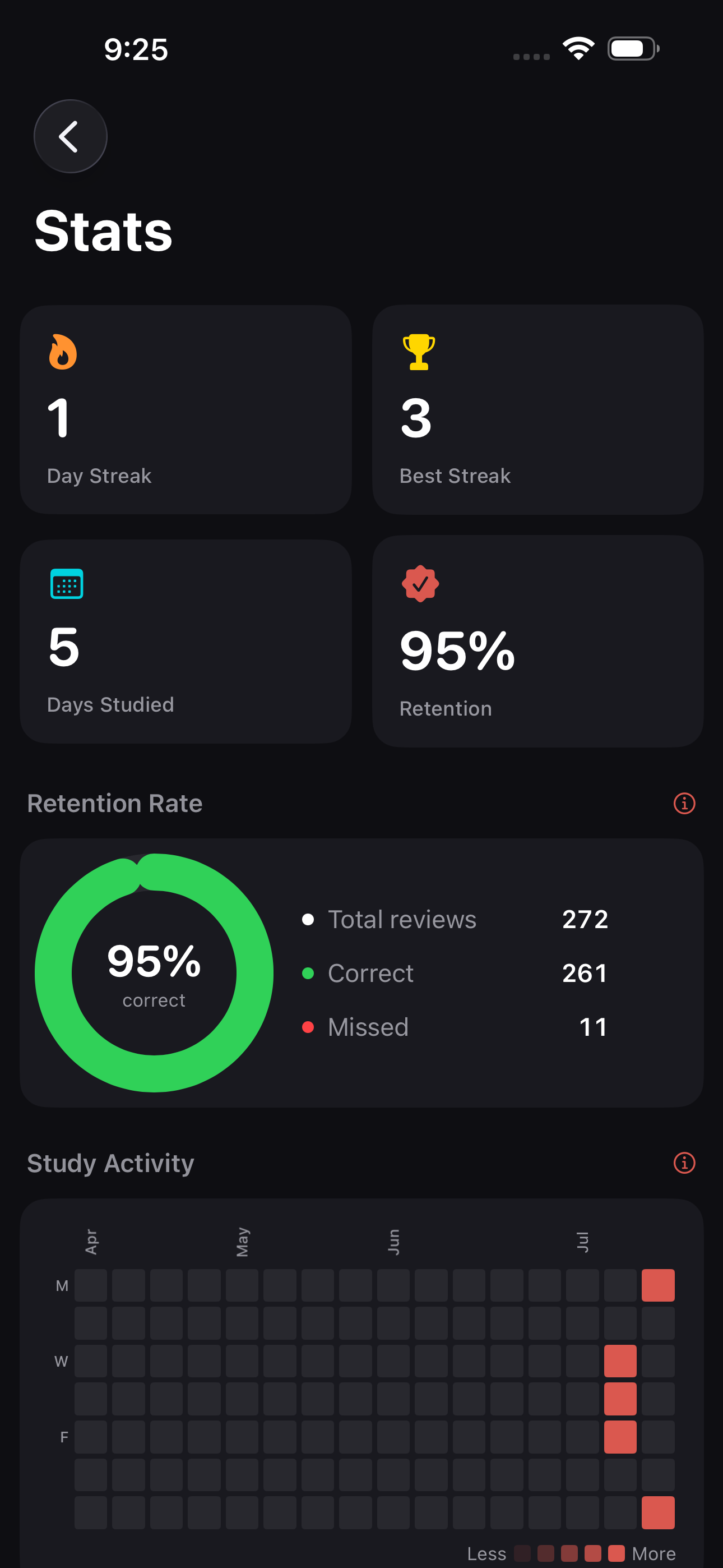
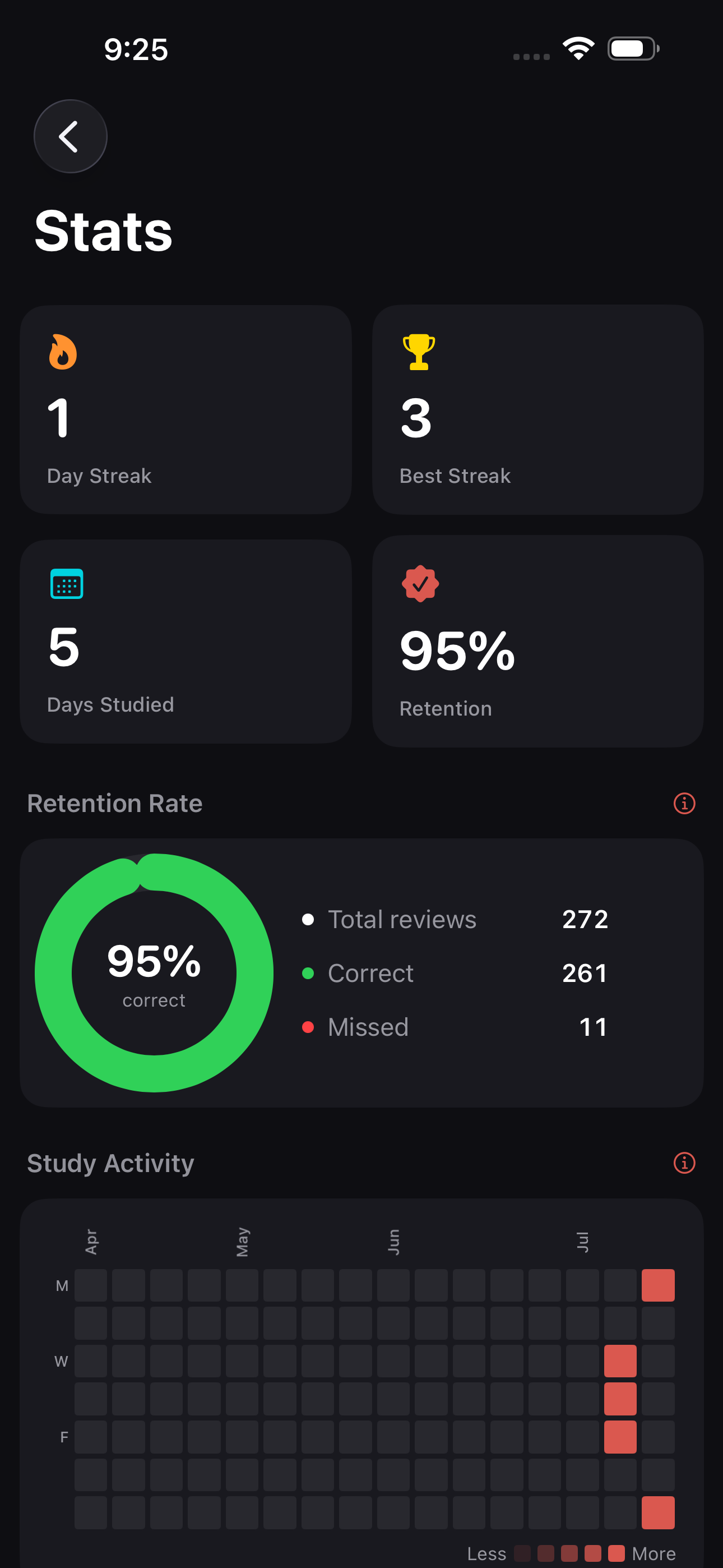
An activity heatmap, retention and card-maturity charts, and JLPT mastery tracking level by level.
Streaks, gently
An optional daily reminder to keep the habit going. Scheduled on your device - nothing is reported anywhere.
Your reading stays on your phone.
Scanning, dictionary lookup, and every card you study run locally on your device. There's no account to create, no cloud to sync to, and nothing to opt out of - because nothing leaves.
On-device
Text recognition and lookups happen on your device, not on a server.
Offline
Scanning and studying need no connection at all. Airplane mode is fine.
No account
No sign-up, no email, no password. Install it and start.
No tracking
No ads and no analytics SDKs. Read the privacy policy.
Anyone whose Japanese lives in real life.
Self-study & classroom learners
You've got kana down - kanji is the next mountain.
Manga, novel & game readers
Hit a word you can't read? Scan the page and keep going - vertical text included.
Folks living in Japan
Every street corner, menu, and piece of mail becomes a quiet study guide.
JLPT candidates, N5 to N1
Drill by level, and track what you've genuinely mastered.
Long stays & travelers
Soak up the language while you're actually there.
Reading is the whole app. Remembering is Pro.
Point, tap, read - unlimited, no account, nothing held back. Pro adds the half that makes what you read stay with you.
Read anything you point it at
No account, no card, no daily limit. Not a trial and not a teaser - the reading half of Scanji is simply yours.
- Unlimited scanning. Photograph any Japanese text - horizontal or vertical, sign or paperback.
- Tap any word you've scanned. Its furigana reading and a full dictionary definition, right there on the photo.
- Offline from the first launch. JMdict and KANJIDIC2 are bundled in, so those lookups work with no connection, ever.
- Quiet capture. Considerate in a bookshop, a gallery, or a quiet carriage.
- Optical zoom. Reach small print and awkward angles without losing sharpness.
- Scan history, word history and favorites. Everything you look up is kept, unlimited.
- Both themes. Sumi & Vermillion or Washi & Vermillion, switch any time.
Remember what you looked up
Everything in Free, plus the searchable dictionary and the whole Study section. One unlock opens all of it.
- Search the whole dictionary. Look a word up directly, not only the ones you happen to have photographed.
- Spaced repetition. Each saved word comes back just before you would have forgotten it.
- Quiz and Review modes. Fast multiple choice, or see-reveal-rate yourself Hard, Medium, Easy.
- Study your own scans. Drill the words from one photo, shown over the picture you took.
- JLPT and vocabulary decks. Kanji for N5 through N1, plus frequency-ranked verbs, adjectives, nouns and adverbs.
- Progress you can see. Activity heatmap, retention and card-maturity charts, JLPT mastery by level.
- Streak reminders and export. An optional daily nudge, and your words out as a spreadsheet or straight into Anki.
Pro is a small monthly subscription, or a one-time lifetime unlock. Prices for your country are shown on the App Store or Google Play - nothing is charged until you decide to unlock it.
The things everyone asks.
Does it work offline?
Does it read vertical Japanese text?
Is Scanji a translator?
Do I need an account?
Which languages does it handle?
What do I get free, and what needs Pro?
Which devices does it run on?
Start learning from what you already see.
Free to scan, read, and save. No account, no ads, nothing sent to a server. Built by a learner who wanted something better.
For iPhone and Android.